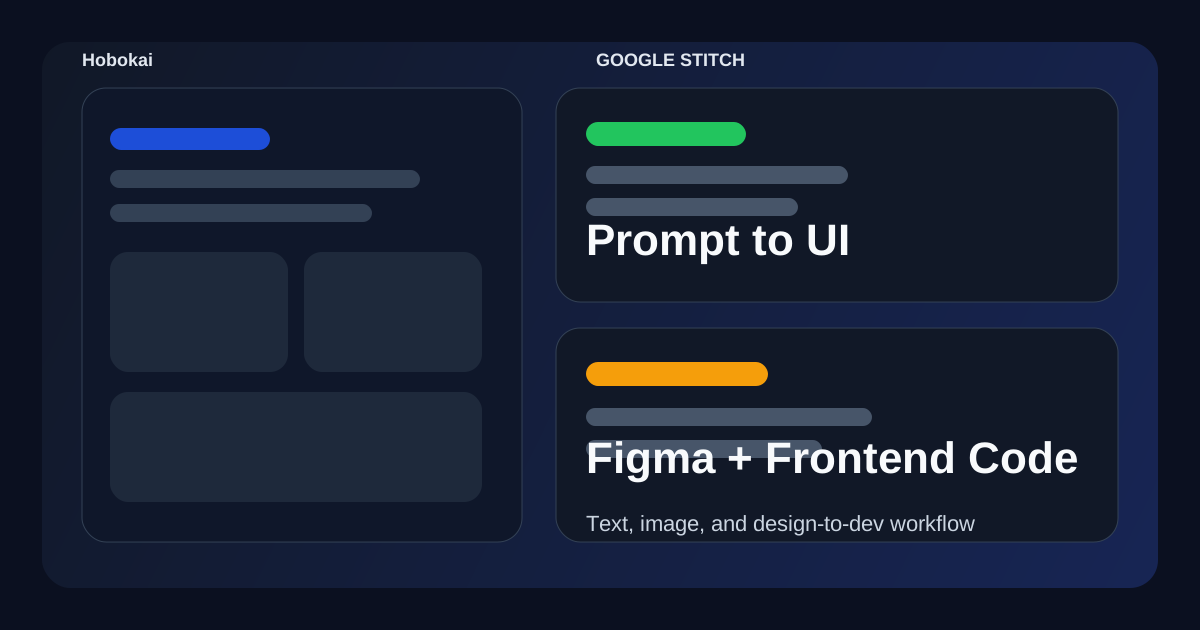
Google Stitch is an experimental UI design tool from Google Labs. Its core idea is simple: describe a screen in plain English, or upload a sketch or reference image, and Stitch generates UI concepts you can keep refining.
What makes Stitch more interesting than a generic mockup tool is that Google positions it as a bridge between design and development. It can generate interfaces from prompts, accept image-based input, export to Figma, and generate front-end code from the result.
If you want the official launch post first, start with Google’s announcement: From idea to app: Introducing Stitch, a new way to design UIs.
What is Google Stitch?
According to Google’s developer announcement, Stitch is a Google Labs experiment designed to turn simple prompt and image inputs into UI designs and front-end code in minutes.
Google says Stitch was built to reduce the back-and-forth between design ideas and implementation. In practice, that means it is not just a “generate a pretty screen” demo. It is trying to shorten the path from concept to something a designer or developer can actually continue working on.
What Stitch can do today
Google’s official announcement highlights four capabilities.
1. Generate UI from natural language
You can describe the interface you want in plain English, including direction like color palette, layout intent, or user experience tone.
That makes Stitch useful when you have a product idea but do not want to start from a blank Figma canvas.
2. Generate UI from images or wireframes
Google also positions Stitch as an image-to-UI tool. You can upload a whiteboard sketch, rough wireframe, or screenshot and let Stitch turn it into a cleaner digital interface.
This is one of the most useful parts of the workflow because it lets teams start from lo-fi design artifacts instead of only text prompts.
3. Iterate on multiple UI directions
Google emphasizes rapid iteration. Stitch is meant to help you explore multiple variants, layouts, and component directions quickly, instead of manually rebuilding each option.
That is valuable when the early goal is comparison, not polish.
4. Move the result into Figma or code
This is the part that makes Stitch more relevant to real product work.
Google says Stitch can:
- paste designs into Figma
- export front-end code from the generated UI
That means the tool is aimed at design-to-dev handoff, not just ideation.
Which model powers Stitch?
Google’s official post says Stitch uses the multimodal capabilities of Gemini 2.5 Pro.
That matters because Stitch is not only reading text. It is also expected to understand screenshots, sketches, and visual direction well enough to produce interface variants that still feel related to the original input.
Where Stitch fits in a real workflow
The most realistic way to use Stitch is not “generate the final product UI in one shot.” It fits better in the middle of the workflow:
- collect a rough idea or reference
- generate several interface directions
- pick one branch and refine it
- move the result into Figma or code
- continue with normal design and implementation review
In other words, Stitch looks strongest as a fast ideation and handoff tool, not as a full replacement for design systems, frontend engineering, or product critique.
Where Stitch looks strongest
Stitch looks especially useful for these cases:
- early product ideation
- turning rough sketches into cleaner UI
- helping developers produce UI starting points faster
- generating multiple directions before a real design review
- shortening the gap between mockup and implementation
If your team often loses time between “we have a rough screen idea” and “we need something editable in Figma or code,” Stitch is aimed directly at that gap.
Where Stitch still has limits
Even from Google’s own positioning, Stitch should be treated as an experimental tool, not a full workflow replacement.
The likely limitations are familiar:
- generated UI can still be generic without strong constraints
- exported frontend code still needs engineering review
- design systems, accessibility, and product logic still need human judgment
- fast generation does not remove the need for taste, hierarchy, and usability checks
So the practical question is not “can Stitch design the whole product for me?” It is “can Stitch remove low-value setup work and help the team iterate faster?”
Stitch vs a normal design workflow
Traditional workflow:
- sketch or discuss an idea
- build rough frames manually
- refine in Figma
- hand off to developers
- rebuild in code
Stitch workflow:
- describe or upload the idea
- generate a few interface directions quickly
- refine the most promising result
- send it to Figma or export frontend code
That does not erase product design work. But it can compress the “blank canvas” stage significantly.
Who should try Google Stitch?
Stitch makes the most sense for:
- frontend developers who need UI starting points quickly
- product designers exploring directions faster
- founders or PMs turning rough concepts into something reviewable
- teams that want less friction between prompt, mockup, and code
It makes less sense if you already need pixel-perfect system work from the first step, because Stitch seems designed for exploration before precision.
FAQ
Q. Is Stitch a Google Labs experiment?
Yes. Google’s launch post describes it as a new experiment from Google Labs.
Q. Can Stitch generate UI from text and images?
Yes. Google explicitly says it supports prompt input and image or wireframe input.
Q. Can Stitch export to Figma?
Yes. Google says Stitch supports a paste-to-Figma workflow.
Q. Does Stitch generate code too?
Yes. Google says Stitch can export front-end code from the generated UI.
Read Next
- If you want the broader AI frontend workflow view, continue with How to Build Better Frontends with GPT-5.4.
- If you want the coding-tool side of the workflow, compare with OpenAI Codex Guide for Software Engineers.
- If you want the wider Dev archive, browse the Dev category.
Related Posts
- How to Build Better Frontends with GPT-5.4
- OpenAI Codex Guide for Software Engineers
- Claude Code vs Cursor vs Codex
- Dev category archive
Sources:
- https://stitch.withgoogle.com/home
- https://developers.googleblog.com/stitch-a-new-way-to-design-uis/
- https://blog.google/innovation-and-ai/products/2025-research-breakthroughs/
While AdSense review is pending, related guides are shown instead of ads.
Start Here
Continue with the core guides that pull steady search traffic.
- Middleware Troubleshooting Guide: Redis vs RabbitMQ vs Kafka A practical middleware troubleshooting guide for developers covering when to reach for Redis, RabbitMQ, or Kafka symptoms first, and which problem patterns usually belong to each tool.
- Kubernetes CrashLoopBackOff: What to Check First A practical Kubernetes CrashLoopBackOff troubleshooting guide covering startup failures, probe issues, config mistakes, and what to inspect first.
- Kafka Consumer Lag Increasing: Troubleshooting Guide A practical Kafka consumer lag troubleshooting guide covering what lag usually means, which consumer metrics to check first, and how poll timing, processing speed, and fetch patterns affect lag.
- Kafka Rebalancing Too Often: Common Causes and Fixes A practical Kafka troubleshooting guide covering why consumer groups rebalance too often, what poll timing and group protocol settings matter, and how to stop rebalances from interrupting useful work.
- Docker Container Keeps Restarting: What to Check First A practical Docker restart-loop troubleshooting guide covering exit codes, command failures, environment mistakes, health checks, and what to inspect first.
While AdSense review is pending, related guides are shown instead of ads.