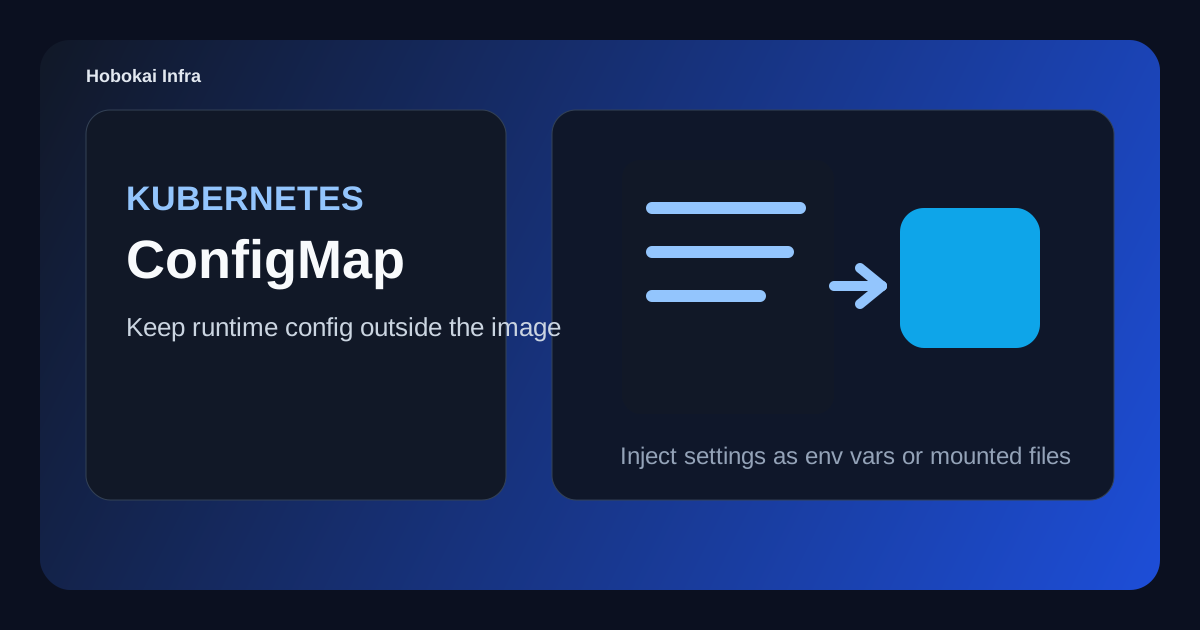
When people first package an application for Kubernetes, the image often comes together before the configuration strategy does. Database hosts, API endpoints, feature flags, and runtime settings need to live somewhere, and putting all of that inside the image becomes painful very quickly.
That is where ConfigMap comes in. A ConfigMap helps you separate application configuration from the container image itself.
This post covers three things.
- what a ConfigMap is
- how to use it as environment variables or mounted files
- how it differs from Secret
The main idea is simple: ConfigMap is for environment-specific configuration that should not be baked into the image.
What a Kubernetes ConfigMap is
A ConfigMap stores string-based configuration as key-value data. Pods can consume that data as environment variables or as mounted files.
Typical examples include:
APP_ENV=productionAPI_BASE_URL=https://api.example.comFEATURE_X_ENABLED=true
So ConfigMap is less about application code and more about runtime configuration.
Why not keep configuration inside the image
It can feel convenient at first to ship configuration files directly in the Docker image. But then every environment change means rebuilding the image, and reusing the same application across development, staging, and production gets awkward.
ConfigMap improves that by making it easier to:
- change configuration without rebuilding the image
- reuse one image across multiple environments
- separate app code from operational settings
That separation is one of the biggest reasons ConfigMap exists.
A simple ConfigMap example
apiVersion: v1
kind: ConfigMap
metadata:
  name: app-config
data:
  APP_ENV: production
  API_BASE_URL: https://api.example.com
  FEATURE_X_ENABLED: "true"
This ConfigMap stores three settings.
One important detail is that data values are treated as strings. Even when they look like booleans or numbers, it is safer to remember they are being passed around as strings.
Using ConfigMap as environment variables
This is one of the most common patterns.
apiVersion: apps/v1
kind: Deployment
metadata:
  name: web
spec:
  replicas: 1
  selector:
    matchLabels:
      app: web
  template:
    metadata:
      labels:
        app: web
    spec:
      containers:
        - name: web
          image: my-web:1.0.0
          envFrom:
            - configMapRef:
                name: app-config
This injects the ConfigMap keys as environment variables inside the container.
If you only need a few keys, explicit env entries may be clearer. If you want the whole set, envFrom is often convenient.
Using ConfigMap as mounted files
Some applications expect configuration as files rather than environment variables. In that case, a ConfigMap can be mounted as a volume.
For example, if the app reads a config.yaml file directly, this pattern can fit better.
apiVersion: v1
kind: ConfigMap
metadata:
  name: app-config-file
data:
  config.yaml: |
    appEnv: production
    featureXEnabled: true
This is especially common with frameworks and servers that read structured config files on startup.
How ConfigMap differs from Secret
This is one of the most common beginner questions.
- ConfigMap: general configuration
- Secret: sensitive values
A useful split looks like this:
- ConfigMap: API base URL, log level, feature flags
- Secret: database password, access token, private key
If the value becomes risky when exposed, Secret is usually the more appropriate resource. For that side of the topic, continue with Kubernetes Secret Guide.
Common mistakes
1. Putting passwords in ConfigMap
It may work technically, but it is usually the wrong boundary from a security perspective.
2. Assuming config changes automatically refresh every app
That depends on how the config is injected and how the application reads it. Some apps need restarts.
3. Mixing too many environments into one ConfigMap
Combining development, staging, and production values too loosely makes operational mistakes easier.
A good beginner exercise
- create a ConfigMap with
APP_ENVandAPI_BASE_URL - inject it into a Deployment as environment variables
- change a value and observe how the app reacts
- compare the same setup using file mounts
That exercise makes ConfigMap feel less like a text store and more like an operational boundary between image and runtime environment.
FAQ
Q. Can I turn a .env file directly into a ConfigMap?
Sometimes yes, but it is still worth cleaning up key names and environment boundaries first.
Q. Do apps automatically pick up ConfigMap changes?
Not always. It depends on how the app reads env vars or files.
Q. Is ConfigMap worth it for a small project?
At first it may feel optional, but as soon as you have more than one environment, the value grows quickly.
Read Next
- If you want to separate sensitive values next, continue with Kubernetes Secret Guide.
- If you want to understand how configuration boundaries fit with environment boundaries, Kubernetes Namespace Guide is a strong follow-up.
While AdSense review is pending, related guides are shown instead of ads.
Start Here
Continue with the core guides that pull steady search traffic.
- Middleware Troubleshooting Guide: Redis vs RabbitMQ vs Kafka A practical middleware troubleshooting guide for developers covering when to reach for Redis, RabbitMQ, or Kafka symptoms first, and which problem patterns usually belong to each tool.
- Kubernetes CrashLoopBackOff: What to Check First A practical Kubernetes CrashLoopBackOff troubleshooting guide covering startup failures, probe issues, config mistakes, and what to inspect first.
- Kafka Consumer Lag Increasing: Troubleshooting Guide A practical Kafka consumer lag troubleshooting guide covering what lag usually means, which consumer metrics to check first, and how poll timing, processing speed, and fetch patterns affect lag.
- Kafka Rebalancing Too Often: Common Causes and Fixes A practical Kafka troubleshooting guide covering why consumer groups rebalance too often, what poll timing and group protocol settings matter, and how to stop rebalances from interrupting useful work.
- Docker Container Keeps Restarting: What to Check First A practical Docker restart-loop troubleshooting guide covering exit codes, command failures, environment mistakes, health checks, and what to inspect first.
While AdSense review is pending, related guides are shown instead of ads.