In Kubernetes, many people start understanding the network story at Service and then get stuck again at Ingress. Service is already a network resource, so it is natural to ask why another one is needed just to expose an application.
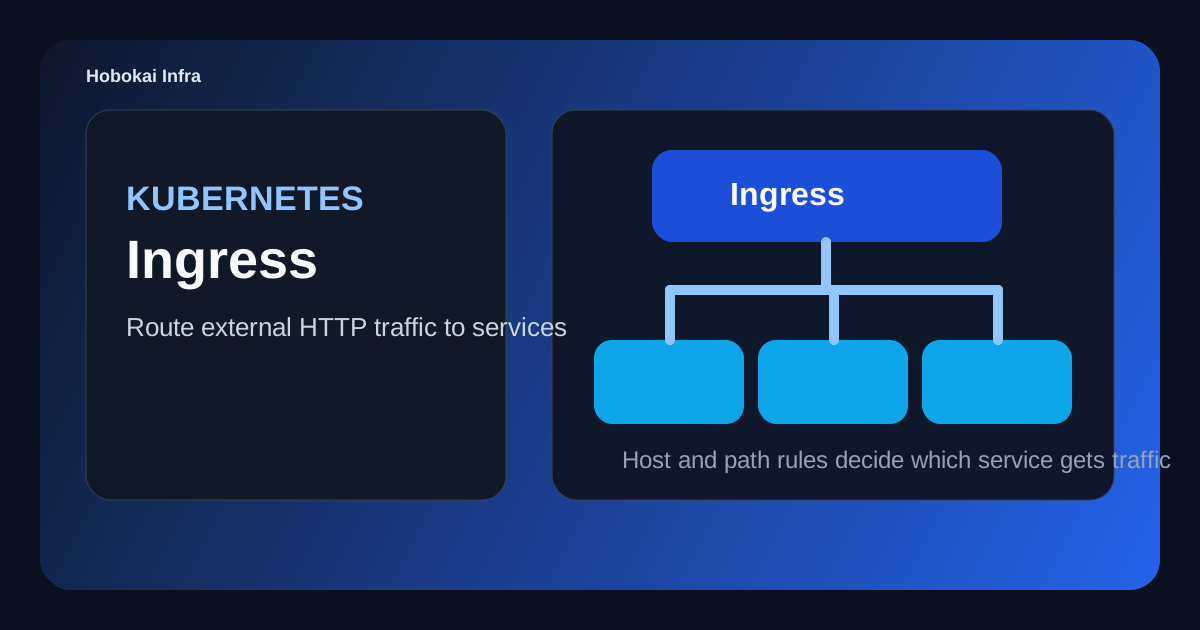
Ingress is the rule layer that decides how incoming HTTP requests should be routed to Services. If Service is the stable access layer in front of Pods, Ingress is the web entry layer in front of multiple Services.
This post covers three things.
- what Ingress is
- how it differs from Service
- how to think about host-based and path-based routing
The key idea is this: Ingress does not attach directly to Pods. It routes external HTTP traffic to Services.
What a Kubernetes Ingress is
Ingress defines rules for sending external HTTP or HTTPS requests to internal Services.
For example, it can express rules like:
api.example.comshould go toapi-serviceexample.com/adminshould go toadmin-service- HTTPS should terminate with a configured TLS certificate
That is why Ingress is easiest to understand as a web router in front of your Services.
How Ingress differs from Service
Both resources are network-related, but they solve different problems.
- Service: stable access to a set of Pods
- Ingress: routing incoming external HTTP traffic to the right Service
The common flow looks like this:
Client -> Ingress -> Service -> Pod
That is why Ingress usually does not replace Service. It sits in front of it.
Why an Ingress Controller is required
This is one of the most important beginner concepts. Creating an Ingress resource alone does not make traffic flow. A controller must exist in the cluster to read those rules and enforce them.
Common examples include:
- NGINX Ingress Controller
- Traefik
- cloud-specific controllers such as ALB-based integrations
So the mental model is:
- Ingress = the routing rules
- Ingress Controller = the component that actually applies them
A basic Ingress example
apiVersion: networking.k8s.io/v1
kind: Ingress
metadata:
  name: app-ingress
spec:
  rules:
    - host: example.com
      http:
        paths:
          - path: /
            pathType: Prefix
            backend:
              service:
                name: web-service
                port:
                  number: 80
This means requests for example.com/ should be sent to web-service on port 80.
Notice that Ingress does not point directly to Pods. It points to a Service, and the Service points to Pods.
How to think about host and path routing
Ingress becomes especially useful when one entry point needs to route to several services.
For example:
api.example.com->api-serviceadmin.example.com->admin-serviceexample.com/docs->docs-service
This is why Ingress appears so often in multi-service web systems, admin panels, and API plus frontend setups.
Where TLS fits
Ingress is also a common place to terminate HTTPS. The certificate can be attached at the Ingress layer so that external clients connect securely while internal Service communication stays simpler.
That means Ingress often handles:
- TLS termination
- host and path routing
- a shared web entry point for multiple Services
Can you expose apps without Ingress
Yes. A LoadBalancer Service can expose an application directly to the outside world.
But Ingress becomes much more attractive when:
- several HTTP services share one entry point
- host-based or path-based routing is needed
- TLS should be managed consistently
- you want a cleaner web traffic structure
Common misunderstandings
1. Ingress automatically works as soon as the resource exists
Not necessarily. Without a functioning Ingress Controller or external load-balancing path, the rules may exist without a usable entry point.
2. Ingress sends traffic directly to Pods
Usually it routes to Services, which then route to Pods.
3. Ingress is the right answer for every protocol
Ingress is mainly for HTTP and HTTPS. Other protocols may need different patterns.
A good beginner exercise
- create both
web-serviceandapi-service - route
/and/apito different backends - route
web.localandapi.localseparately - compare the result with exposing only a Service directly
This makes it much easier to see that Ingress is not a replacement for Service. It is the web-facing routing layer above it.
FAQ
Q. Should I use Ingress or LoadBalancer?
They are not always alternatives. In many clusters, the Ingress Controller itself sits behind an external load balancer.
Q. If I get a 404 through Ingress, what should I check first?
Start with host rules, path rules, ingress class, and the backend Service name and port.
Q. If I already have a Service, can I skip Ingress?
For very simple single-service exposure, sometimes yes. For multiple HTTP services or cleaner domain and path routing, Ingress is usually the better fit.
Read Next
- To understand the layer that Ingress routes into, pair this with Kubernetes Service Guide.
- To understand how the backend Pods themselves are created and updated, continue with Kubernetes Deployment Guide.
While AdSense review is pending, related guides are shown instead of ads.
Start Here
Continue with the core guides that pull steady search traffic.
- Middleware Troubleshooting Guide: Redis vs RabbitMQ vs Kafka A practical middleware troubleshooting guide for developers covering when to reach for Redis, RabbitMQ, or Kafka symptoms first, and which problem patterns usually belong to each tool.
- Kubernetes CrashLoopBackOff: What to Check First A practical Kubernetes CrashLoopBackOff troubleshooting guide covering startup failures, probe issues, config mistakes, and what to inspect first.
- Kafka Consumer Lag Increasing: Troubleshooting Guide A practical Kafka consumer lag troubleshooting guide covering what lag usually means, which consumer metrics to check first, and how poll timing, processing speed, and fetch patterns affect lag.
- Kafka Rebalancing Too Often: Common Causes and Fixes A practical Kafka troubleshooting guide covering why consumer groups rebalance too often, what poll timing and group protocol settings matter, and how to stop rebalances from interrupting useful work.
- Docker Container Keeps Restarting: What to Check First A practical Docker restart-loop troubleshooting guide covering exit codes, command failures, environment mistakes, health checks, and what to inspect first.
While AdSense review is pending, related guides are shown instead of ads.