When people first study Kubernetes, Pods often make sense before Services do. If a Pod already runs the app, it is natural to ask why another resource is needed just to reach it.
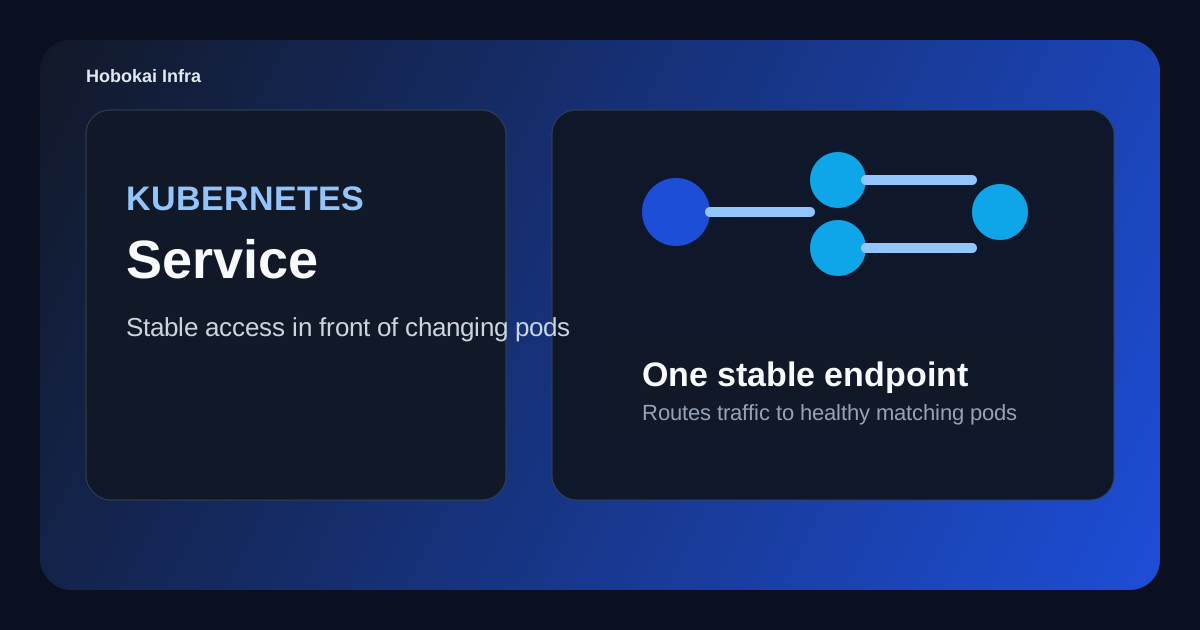
In real systems, a Pod alone is rarely a stable place to connect to. Pods can be replaced, their IPs can change, and there may be several of them at once. A Service gives you a stable entry point in front of that changing set of Pods.
This post covers three things.
- what a Kubernetes Service is
- how it relates to Pods
- when to use
ClusterIP,NodePort, andLoadBalancer
The core idea is this: a Service does not create Pods. It gives you a stable network abstraction in front of a Pod set.
What a Kubernetes Service is
A Service groups Pods through labels and exposes them as one logical network destination. Even if Pod IPs change or the number of Pods changes, clients can keep using the same Service name or virtual IP.
For example, if three backend Pods are running, the Service makes them look like one stable endpoint.
- Pods are the real app instances
- the Service is the stable access point in front of them
That distinction is what makes Service useful in a dynamic cluster.
Why Pods alone are not enough
Pods are not fixed servers. When a Deployment rolls out a new version, old Pods disappear and new ones appear. If a node fails, Pods may be rescheduled elsewhere.
That creates a few obvious problems:
- Pod IPs can change
- the Pod count can scale up or down
- clients should not have to rediscover healthy Pods manually
A Service hides that change and sends traffic to the Pods that are currently alive and ready.
How a Service finds Pods
Usually through a selector. The Service matches Pods whose labels fit the selector and treats them as endpoints.
apiVersion: v1
kind: Service
metadata:
  name: api-service
spec:
  selector:
    app: api
  ports:
    - port: 80
      targetPort: 8080
This means the Service listens on port 80 and forwards traffic to Pods labeled app: api on container port 8080.
The important point is that the Service does not create those Pods. It only points at existing ones.
The most common Service types
1. ClusterIP
This is the default type. It exposes the Service only inside the cluster.
It is common for:
- frontend Pods calling backend Pods
- internal service-to-service communication
- APIs that should not be exposed publicly
For most beginners, understanding ClusterIP first is enough.
2. NodePort
This opens a fixed port on each node and forwards traffic from that port to the Service.
It appears often in learning environments and quick tests, but in production it is commonly hidden behind Ingress or cloud load balancing.
3. LoadBalancer
This is used when a cloud environment should provision an external load balancer in front of the Service.
In AWS, GCP, and Azure, this is a common way to expose a Service to the outside world.
What port and targetPort mean
This is one of the most common beginner points of confusion.
port: the port exposed by the ServicetargetPort: the port the container actually listens on
For example, clients may hit the Service on port 80 while the application listens inside the container on port 8080.
ports:
  - port: 80
    targetPort: 8080
If this difference is not clear, Services often look correct while traffic still fails.
How Service differs from Ingress
Both are network-related resources, so they are easy to mix up.
- Service: sends traffic to a Pod set
- Ingress: decides which Service should receive incoming external HTTP traffic
In practice, the path often looks like this:
Client -> Ingress -> Service -> Pod
If you want to understand that outer routing layer next, Kubernetes Ingress Guide is the natural follow-up.
Common misunderstandings
1. A Service is always externally reachable
No. The default ClusterIP type is internal-only.
2. A Service automatically creates Pods
No. A Deployment or another workload resource creates Pods. A Service only points to them.
3. Matching labels are always enough
Not always. Pod readiness also matters. Unready Pods may be excluded from endpoints.
A good beginner exercise
Try this sequence:
- create a
Deploymentwith two nginx Pods - add a
ClusterIPService - intentionally break the labels and watch endpoints disappear
- change
portandtargetPortand observe what changes
That exercise makes Service feel much less abstract. It becomes clearly visible as the stable network layer in front of a changing Pod group.
FAQ
Q. Should I still create a Service if there is only one Pod?
Usually yes. It keeps the access path stable even if the Pod later scales or gets replaced.
Q. Does a Service load-balance traffic?
The details depend on the environment, but in practice it commonly distributes traffic across healthy backend Pods.
Q. Can a Service exist with zero endpoints?
Yes. Selector mismatch, unready Pods, or namespace issues are common causes. If that happens, continue with Kubernetes Service Has No Endpoints.
Read Next
- If you want to understand how Pods are maintained and updated over time, continue with Kubernetes Deployment Guide.
- If you want to understand how external HTTP traffic reaches a Service, Kubernetes Ingress Guide is a strong next step.
While AdSense review is pending, related guides are shown instead of ads.
Start Here
Continue with the core guides that pull steady search traffic.
- Middleware Troubleshooting Guide: Redis vs RabbitMQ vs Kafka A practical middleware troubleshooting guide for developers covering when to reach for Redis, RabbitMQ, or Kafka symptoms first, and which problem patterns usually belong to each tool.
- Kubernetes CrashLoopBackOff: What to Check First A practical Kubernetes CrashLoopBackOff troubleshooting guide covering startup failures, probe issues, config mistakes, and what to inspect first.
- Kafka Consumer Lag Increasing: Troubleshooting Guide A practical Kafka consumer lag troubleshooting guide covering what lag usually means, which consumer metrics to check first, and how poll timing, processing speed, and fetch patterns affect lag.
- Kafka Rebalancing Too Often: Common Causes and Fixes A practical Kafka troubleshooting guide covering why consumer groups rebalance too often, what poll timing and group protocol settings matter, and how to stop rebalances from interrupting useful work.
- Docker Container Keeps Restarting: What to Check First A practical Docker restart-loop troubleshooting guide covering exit codes, command failures, environment mistakes, health checks, and what to inspect first.
While AdSense review is pending, related guides are shown instead of ads.