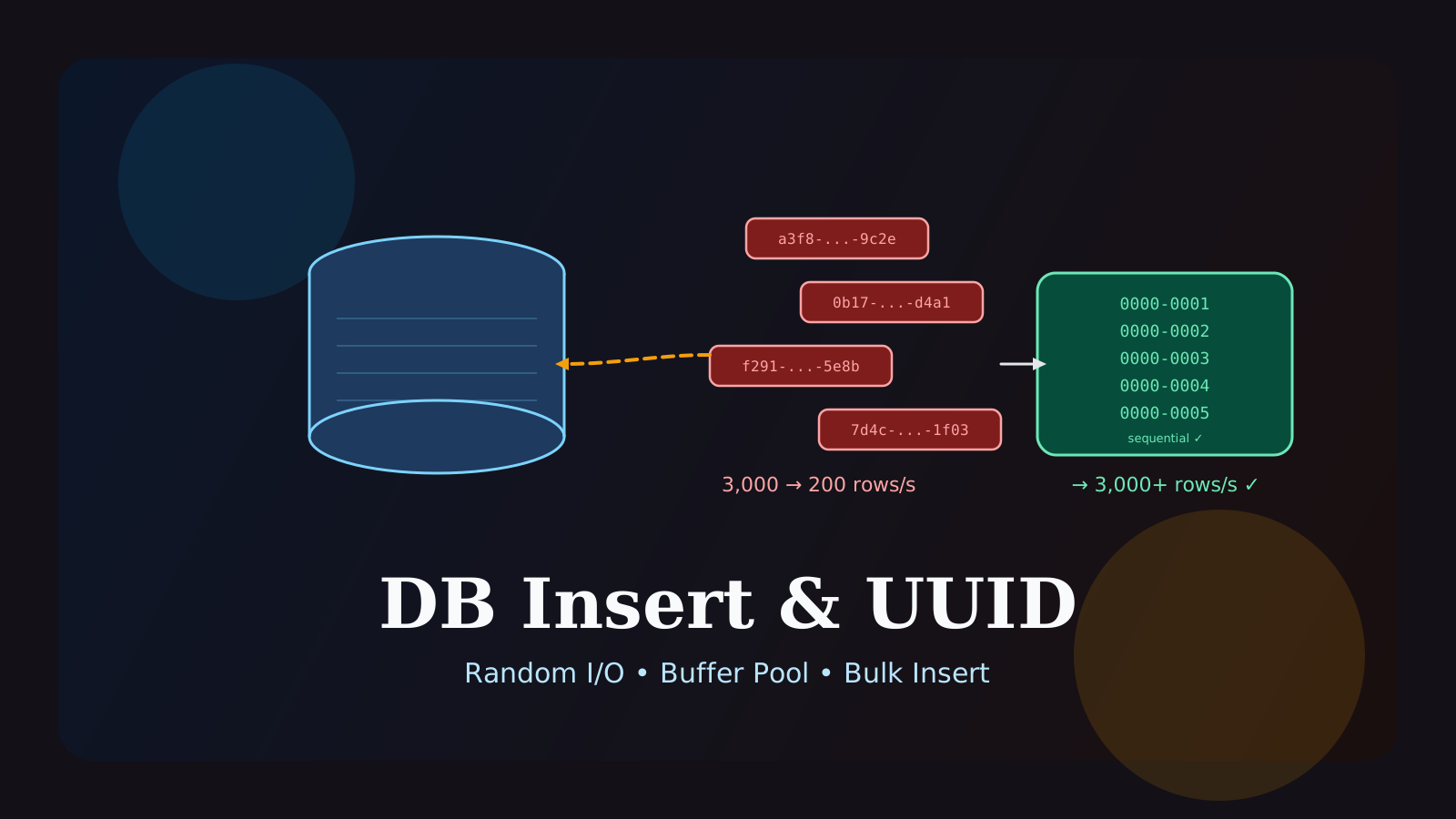
Are you experiencing increasingly slow SQL insert times in an environment that handles millions of records per hour?
This performance degradation is a classic symptom of Buffer Pool Thrashing in the MySQL InnoDB engine, typically caused by using completely random UUID values as primary keys (PK) or secondary indexes.
This guide will cover:
- Why using random UUIDs causes insert performance to drop exponentially as your data grows.
- How to reduce your index size by 90% simply by changing the data type (
utf8mb4toascii). - How to implement application-level sorted bulk inserts to overcome the physical limits of legacy UUIDs.
Instead of blindly scaling up your hardware (RAM), you can drastically reduce disk I/O by understanding B-Tree index characteristics, shrinking data length, and slightly tweaking the insertion order.
What Is the Random UUID Index Problem?
InnoDB uses B-Tree structures to index and store data physically. When you use sequential keys like AUTO_INCREMENT or timestamp-based values, new data is neatly appended to the “right-edge” of the tree.
But what happens when you use a completely random string like UUID v4 as an index?
Every time a new record is added, InnoDB must wedge it into a random location within the massive B-Tree. Initially, this is fast because the entire tree fits into your memory (Buffer Pool). However, the moment your index size exceeds your Buffer Pool size (e.g., 5.2GB), the database must constantly fetch different pages from the hard disk to find those random vacant spots. This triggers merciless Random I/O, causing insert latency to skyrocket.
When You Need This Tuning
It is time to optimize your indexes if you notice the following signs:
- Insert speed degrades progressively throughout the day, even in daily partitioned tables.
- The daily index size generated heavily outweighs your
innodb_buffer_pool_size, lowering the memory Cache Hit ratio. - You experience extreme latency when inserting new rows into massive (e.g., 45GB) master tables compared to a year ago.
Step-by-Step Setup
1. Diet Your Index Memory (ASCII Targeting)
If you cannot change the legacy random identifiers emitted by millions of globally distributed IoT devices, you must forcefully shrink the index size so it fits entirely into the memory.
UUIDs generally contain only numbers, lowercase letters, and hyphens. Yet, developers often default to VARCHAR(100) utf8mb4 when creating the schema. The utf8mb4 charset reserves up to 4 bytes per character, wasting a colossal amount of memory.
You can physically shrink the index size to 1/10th of its original payload with a single command:
-- Convert utf8mb4 columns to lightweight ascii for device identifiers
ALTER TABLE T_DEVICE
MODIFY COLUMN DEVICE_ID VARCHAR(40) CHARACTER SET ascii COLLATE ascii_general_ci NOT NULL COMMENT 'Device Identifier';
This brief structural modification shrinks daily index trees from gigabytes (GB) down to mere megabytes (MB), fitting everything cleanly into the buffer pool and resulting in a 100% memory hit rate.
2. Apply Sorted Bulk Inserts
If you cannot stop devices from sending randomized values, group the data in your application layer (e.g., Spring Batch) into chunks of tens of thousands, sort them by DEVICE_ID, and push them into the database in bulk.
// Example of sorting processing inside Spring Batch ItemWriter
@Bean
public ItemWriter<DeviceLogDto> sortedBatchWriter(JdbcTemplate jdbcTemplate) {
    return items -> {
        List<DeviceLogDto> sortedList = new ArrayList<>(items.getItems());

        // Sort to allow a sequential sweep across the B-Tree physical structure
        sortedList.sort(Comparator.comparing(DeviceLogDto::getDeviceId));

        jdbcTemplate.batchUpdate("INSERT INTO table (device_id, log_data) VALUES (?, ?)",
            new BatchPreparedStatementSetter() {
                // Parameter setting logic here
            });
    };
}
Inserting unsorted data forces the database to open a random disk page for every single row. By sorting and buffering the inputs, the database opens a specific index page just once, pours dozens of contiguous records into it, and then closes it (Sequential Sweep), dramatically scaling down the Disk I/O.
3. Adopt Time-Ordered UUIDv7 for New Systems
If you are currently architecting a new system or have the authority to alter identifier generation rules, strongly consider adopting UUID v7 (A UUID format where the first 48 bits form a millisecond-precision timestamp).
This approach grants you the security and anonymity of a string identifier while coercing the database to treat it sequentially—virtually mirroring Auto Increment insert performance.
Common Mistakes
Attempting Massive Bulk Inserts with JPA saveAll()
This is the most painful and frequent mistake. Calling repository.saveAll() is disastrous in environments using manually assigned identifiers (like UUIDs) rather than database-generated ones (Auto Increment).
If JPA encounters an unrecognized UUID, it issues a SELECT query to check if the record exists before triggering the INSERT. This effectively executes N select queries, disrupting batch binding and fracturing the continuous sweep effect.
Always use JdbcTemplate.batchUpdate() or MyBatis native collections to multiplex requests into a solitary query block for big data.
Setting the Chunk Size Too Small
When performing sorted bulk inserts, setting a limited chunk size (like 1,000 or 10,000 records) severely dilutes the density of the sort, resulting in a negligible Disk Block Hit Ratio increase. To maximize returns, configure your application RAM robustly and fetch massively dense chunks (e.g., 100,000 ~ 300,000 records) before sorting them in-memory.
FAQ
1. I partitioned by to_days() % 7, so shouldn’t it use less memory?
When using modulo (%) partitions, old historical data is never cleared. Last Monday’s data mixes persistently with the Monday data from 3 years ago, bloating the partition index endlessly. To prevent this, ensure a scheduler natively TRUNCATEs deprecated partition spaces, or fundamentally rethink your approach utilizing strict RANGE partitions.
2. What is the difference between Application sorting, OS sorting, and DB sorting?
Application sorting (like Java TimSort) boasts lighting fast in-memory CPU calculations but suffers from heavy object header memory overhead, making it best for whatever your RAM limit tolerates. The absolute worst practice is blindly dumping data into the DB and provoking a Filesort. Deep DB layer sorts drag down performance because the DB has to calculate complex MVCC (Multi-Version Concurrency Control) semantics and locking metadata at the same time.
Start Here
Continue with the core guides that pull steady search traffic.
- Middleware Troubleshooting Guide: Where to Start With Redis, RabbitMQ, or Kafka A practical middleware troubleshooting hub covering how to choose the right first branch when systems using Redis, RabbitMQ, and Kafka show cache drift, queue backlog, or consumer lag.
- Kubernetes CrashLoopBackOff: What to Check First A practical Kubernetes CrashLoopBackOff troubleshooting guide covering startup failures, probe issues, config mistakes, and what to inspect first.
- Technical Blog SEO Checklist for Astro: What to Fix Before You Wait for Traffic A practical Astro SEO checklist for technical blogs covering deployed-site checks, robots.txt, sitemap, canonical, hreflang, structured data, page-role metadata, noindex decisions, and verification commands.
- Canonical and hreflang Setup for Multilingual Blogs: What to Check and What Breaks A practical guide to canonical and hreflang setup for multilingual blogs, covering self-canonicals, reciprocal hreflang clusters, x-default, category pages, rendered HTML checks, and the mistakes that make one language version suppress another.
- OpenAI Codex CLI Setup Guide: Install, Auth, and Your First Task A practical OpenAI Codex CLI setup guide covering installation, sign-in, the first interactive run, Windows notes, and the safest workflow for your first real task.