As coding agents and reasoning models get stronger, one habit becomes less reliable: changing the prompt and trusting your intuition about whether the system improved.
That is the shift behind harness engineering. The goal is not just to make a model sound better in one demo. It is to build an environment where you can test, compare, and trust changes across many real tasks.
This guide focuses on the practical questions:
- What is harness engineering?
- Why does it matter more as models get stronger?
- What should a small product team build first?
The short answer: prompting still matters, but harnesses become the system that tells you whether your prompts, tools, and workflow actually work.
What is harness engineering?
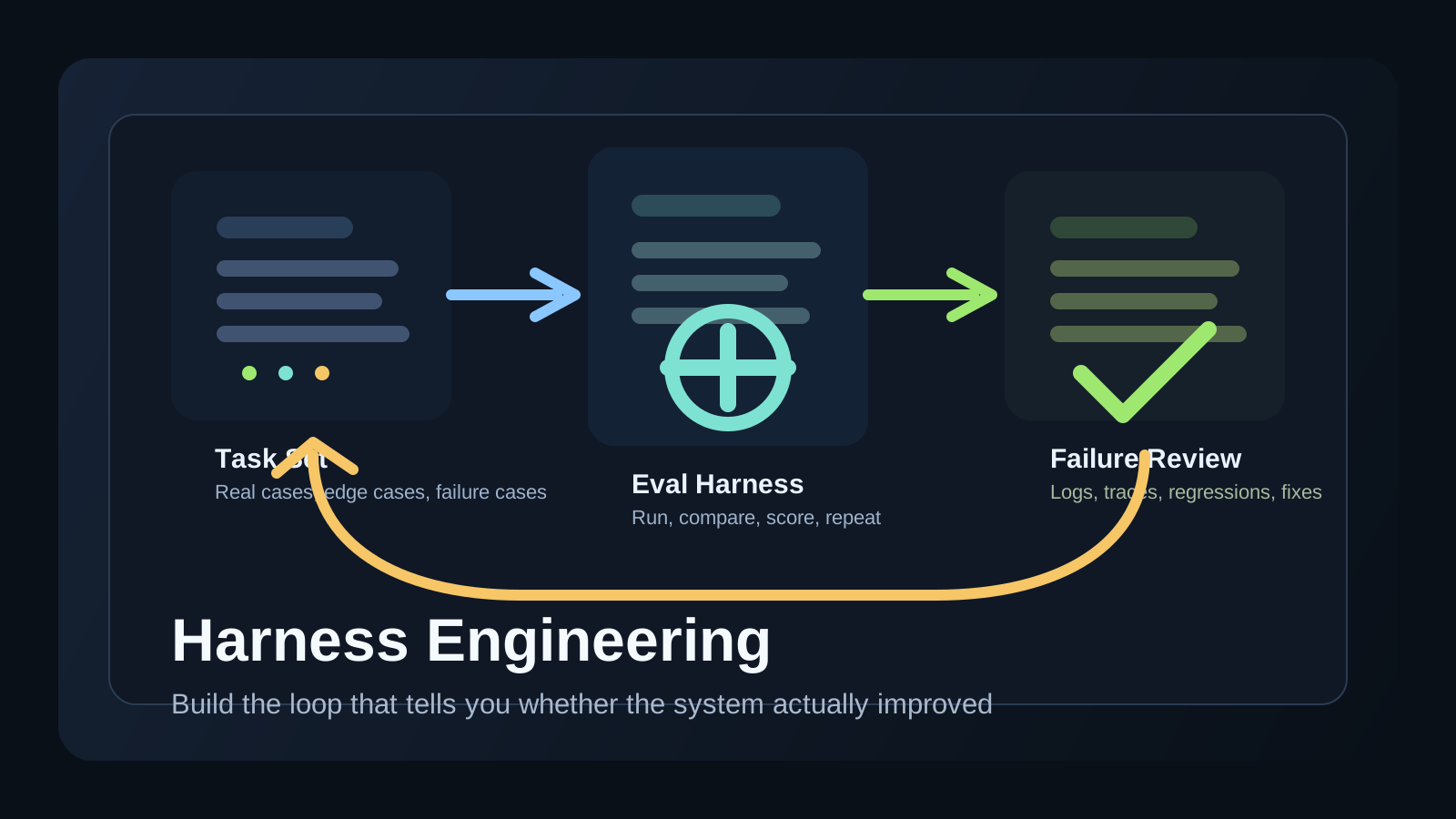
Harness engineering is the work of building the test loop around an LLM system.
A harness usually includes:
- representative tasks
- inputs and expected outcomes
- a repeatable execution environment
- scoring or evaluation rules
- logs you can inspect after a run
In plain terms, it is the machinery that lets a team ask: “Did this change actually make the system better?”
Why prompt tweaks stop being enough
When a workflow is simple, teams can often improve it with direct prompting and a handful of manual checks.
That breaks down when the system becomes:
- multi-step
- tool-using
- code-editing
- partially autonomous
At that point, one “good-looking” example is not strong evidence. A small prompt win can still hide regressions in reliability, safety, latency, or output quality.
This is why harness engineering becomes more important as the model becomes more capable.
What OpenAI’s harness engineering article gets right
The OpenAI article emphasizes a practical shift: once the model can do more, the limiting factor often becomes the environment you built to test it.
That idea is easy to miss. Many teams assume stronger models reduce the need for evaluation. In practice, the opposite often happens:
- stronger models attempt harder tasks
- harder tasks have more failure modes
- more failure modes require better eval coverage
So the real bottleneck moves from “how do I word the prompt?” to “how do I know whether this whole system is improving?”
Source article: OpenAI - Harness engineering
What a good harness usually contains
You do not need a giant platform on day one. A useful first harness often has only a few parts.
1. A task set that reflects real work
The task set should look like the work users actually care about, not only idealized examples.
Good task sets often include:
- normal tasks
- annoying edge cases
- failure-prone cases
- tasks that look similar but require different actions
2. Clear pass or fail criteria
If scoring is vague, the eval result will be vague too.
For some systems the rule is exact correctness. For others it may be:
- did the test pass
- did the answer include the required fields
- did the agent avoid the forbidden action
- did the final output match the requested format
3. Reproducible runs
A harness is much less useful if every run changes because the environment changed.
You want stable task inputs, explicit tool availability, and a reviewable output record.
4. Failure inspection
Teams improve faster when they can inspect why a case failed instead of only reading one overall score.
That means keeping:
- raw outputs
- tool traces when relevant
- timing information
- the exact version of the prompt, tool policy, or workflow
A simple harness shape for coding or agent workflows
For many development teams, a first harness can be much simpler than it sounds.
[
  {
    "task": "Fix a failing unit test",
    "input": "repo snapshot + failing test output",
    "success": "test passes without breaking other tests"
  },
  {
    "task": "Summarize a pull request risk",
    "input": "git diff",
    "success": "high-risk issues are identified clearly"
  }
]
The important part is not the file format. It is that the team can rerun the same tasks after a prompt, tool, or policy change and compare outcomes honestly.
Where teams usually fail first
1. They benchmark only easy examples
If the harness contains only clean demo tasks, it tells you almost nothing about production behavior.
2. They optimize for one score and ignore failure shape
A system can improve on average while becoming much worse on an important edge case.
3. They cannot connect failures back to a change
If you do not record which prompt, tool access, or policy version produced the run, debugging gets much harder.
4. They overbuild before they validate
Many teams try to design a perfect eval platform instead of starting with a small but real task set.
What to build first if your team is small
If you are early, build the smallest loop that creates trust.
That usually means:
- collect 20 to 50 real tasks
- define simple success rules
- run the same cases after each major change
- inspect failures manually
- add automation only where it removes repeated pain
This is usually better than spending weeks on a general framework before you know what your real failure modes are.
Harness engineering vs prompt engineering
Prompt engineering and harness engineering are not enemies.
The relationship is more like this:
- prompt engineering changes the behavior
- harness engineering measures the behavior
Without prompting, you may not improve the system. Without a harness, you may not know whether the improvement is real.
That is why more capable agent systems tend to need both.
Why this matters for agent products
This topic matters even more for agents than for single-turn chat features.
Agent products often involve:
- tool calls
- retries
- branching decisions
- multi-step plans
- long execution traces
Those systems can fail in more places than a simple Q&A interaction. A harness gives you a way to test the whole loop instead of only evaluating one final sentence.
If you are already thinking about agent workflows operationally, the next useful companion reads are the AI Agent Guide and the AI Agent Skills Guide.
FAQ
Q. Is harness engineering just another name for evals?
Not exactly. Evals are central, but harness engineering usually includes the broader test environment, task setup, scoring, and failure inspection loop around them.
Q. When should a team start building a harness?
As soon as model behavior changes from “one prompt, one answer” into something you plan to iterate on repeatedly.
Q. Do small teams need this too?
Yes, but at a smaller scale. A spreadsheet and a repeatable task set can be a real harness if it helps you compare changes honestly.
Q. What is the biggest mistake?
Relying on intuition and a few good demos after each change instead of running stable comparison tasks.
Read Next
- If you want the broader framing for agent workflows, continue with AI Agent Guide.
- If you want to make agent behavior more repeatable inside a repo, continue with AI Agent Skills Guide.
- If you want the coding-workflow angle, continue with Codex Workflow Guide.
Related Posts
Start Here
Continue with the core guides that pull steady search traffic.
- Middleware Troubleshooting Guide: Where to Start With Redis, RabbitMQ, or Kafka A practical middleware troubleshooting hub covering how to choose the right first branch when systems using Redis, RabbitMQ, and Kafka show cache drift, queue backlog, or consumer lag.
- Kubernetes CrashLoopBackOff: What to Check First A practical Kubernetes CrashLoopBackOff troubleshooting guide covering startup failures, probe issues, config mistakes, and what to inspect first.
- Technical Blog SEO Checklist for Astro: What to Fix Before You Wait for Traffic A practical Astro SEO checklist for technical blogs covering deployed-site checks, robots.txt, sitemap, canonical, hreflang, structured data, page-role metadata, noindex decisions, and verification commands.
- Canonical and hreflang Setup for Multilingual Blogs: What to Check and What Breaks A practical guide to canonical and hreflang setup for multilingual blogs, covering self-canonicals, reciprocal hreflang clusters, x-default, category pages, rendered HTML checks, and the mistakes that make one language version suppress another.
- OpenAI Codex CLI Setup Guide: Install, Auth, and Your First Task A practical OpenAI Codex CLI setup guide covering installation, sign-in, the first interactive run, Windows notes, and the safest workflow for your first real task.